

MRClimb is a modern, responsive and light-weight full site editing theme for WordPress tailored for climbers, excursionists, travel bloggers or small companies that want to showcase their adventure/sport related businesses. The theme takes full advantage of the WordPress editor and includes several templates, patterns, global styles and block styles to easily build and personalize a website from scratch or restyle an existing FSE installation.
MRClimb theme has been reviewed and approved by wordpress.org and is available for free in their official theme repository here.
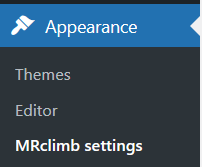
MRClimb also includes a configuration page to setup a sticky header, a fully customizable back to top button and more goodies specific for climbers. The page is available in the Appearance menu under the core editor once the theme is installed and activated.
Documentation, in pdf format, about the theme and how to install/use it, is available here on the site.
Main features
- Full site editing
- Fully responsive
- 12 global styles
- 5 header / 4 footer templates
- Sticky header
- Fully customizable back to top button
- Full page and 2 columns templates for pages and blog pages
- Custom home, blog, archive, search and 404 page templates
- 50+ block patterns, including full page patterns for a quick setup
- Custom block styles
- Translation ready
- Sample images included in the assets (licensed under CC0 – free to use)
MRClimb styles
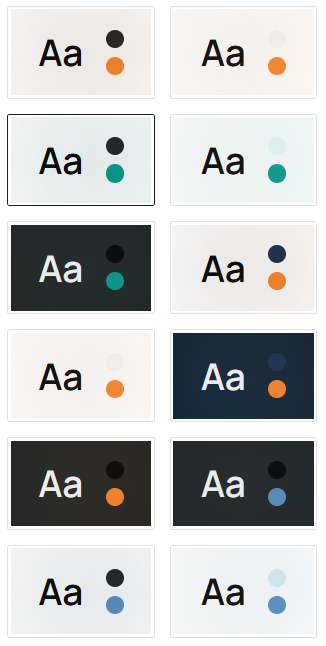
MRClimb provides 12 global style variations: 4 base sets of color combinations and for each set there is a full-dark, dark and light version.
These are the 4 base sets:
- Dark grey and orange
- Dark grey and green
- Dark grey and light blue
- Dark blue and orange
Using the core editor it is possible to customize these sets so that the change is automatically applied to the whole site in case a different color is needed. At the same time, when working on a page or post, it is possible to customize single elements with any color combination.
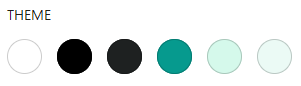
The big image shows the full list of styles as seen in the editor, while below there is the color palette of the style highlighted in the list as a sample.
Headers
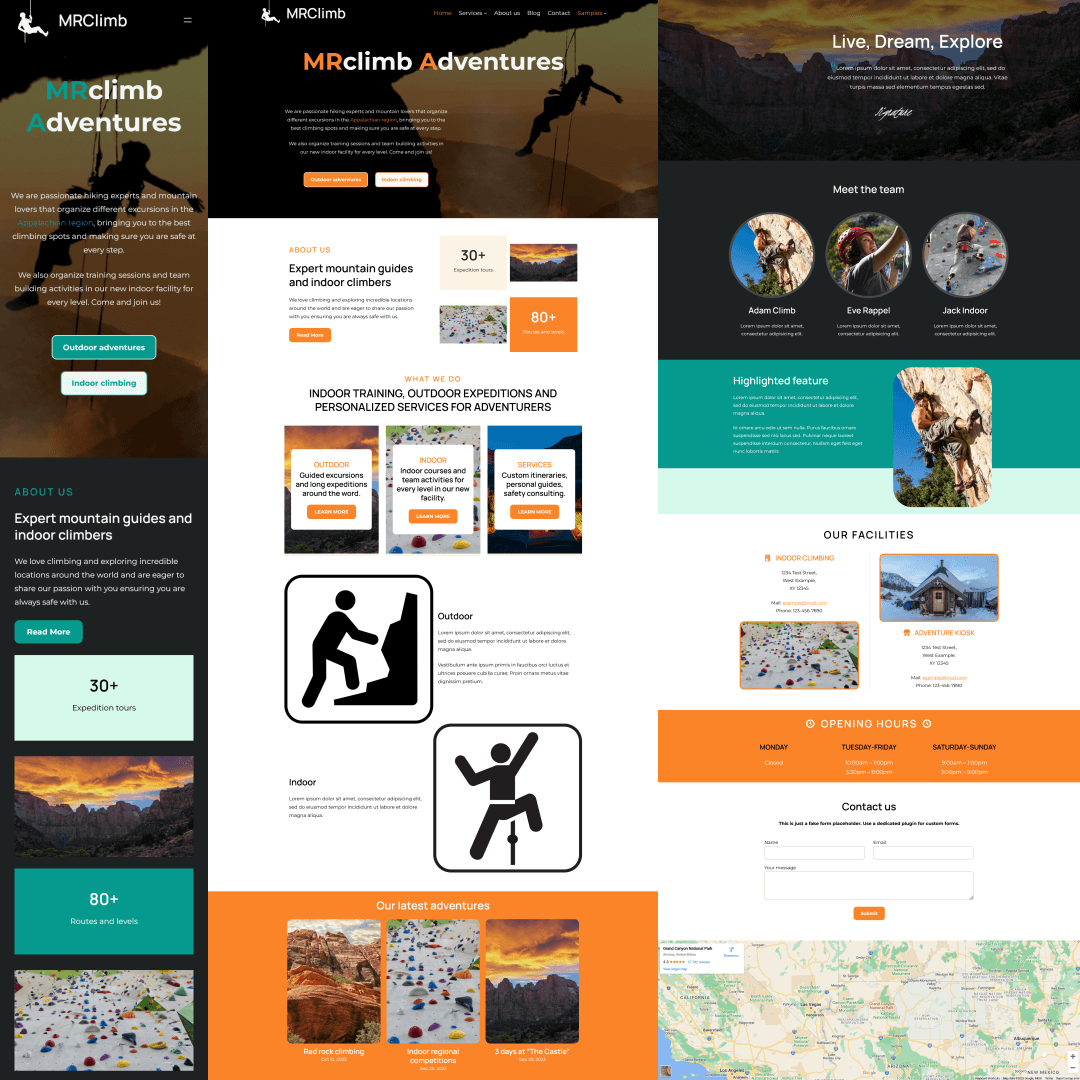
MRClimb includes 4 different classic header templates to be used across the site with the option to include social links or a contact line, plus a hero header pattern more suited for the home page. All sample images in the theme presentation showcase available templates.
All headers show the site logo, site title and navigation which are part of the site configuration and should be set at a global level. By default the width of the logo is set to 75px, which works well with all the templates, but like anything else it can be customized or removed completely in the editor.
Sticky header
In the theme configuration it is possible to enable the sticky header functionality (disabled by default). This will fix everything in the html header tag to the top and add additional styling to the scrolled element. It works well with all the theme header templates including the hero version and can be applied also to custom templates. Below an example of a template in the classic and sticky version.


Since it is usually a feature used only in the desktop version of websites, the sticky style is applied by design via media queries so that the mobile version is not affected.
Please note: the aim is not to provide a fully customizable functionality but to easily enable a nice feature for most needs with no hassle.
Footers
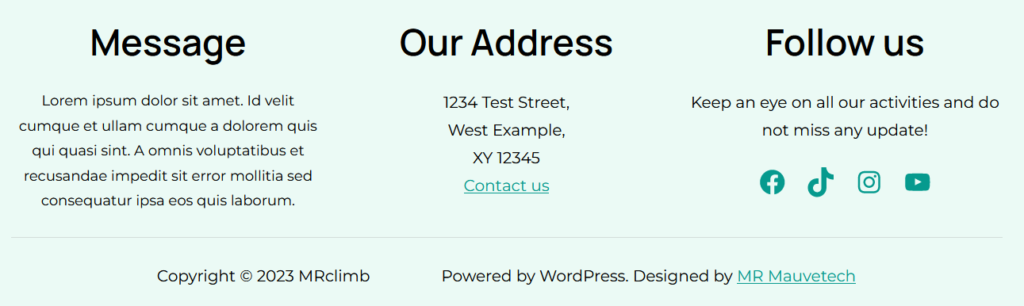
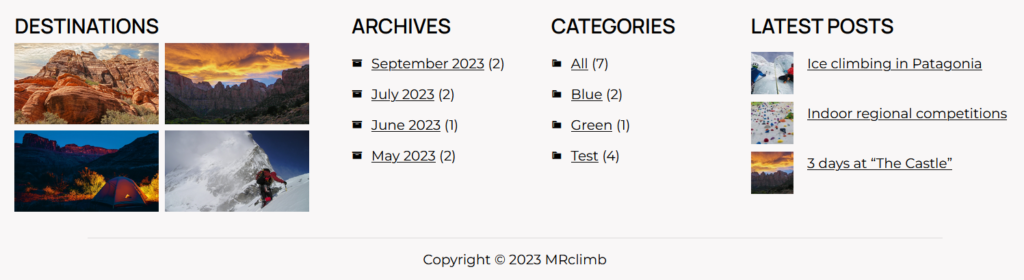
The theme includes 4 different footer templates: 2 standard one line versions for a simple copyright or attribution, one aimed at a blog page and one more suited for business info.
Patterns
More than 30 patterns are included and ready to use to build cool and engaging pages. All patterns are fully based on the core blocks and are easily customizable once added in the editor.
Full page patterns are also included for frequently used views like the home, contact and about us page to quickly have a site ready to go with just a few clicks. All patterns include sample images that can be freely used – all images are licensed under CC0 – but in most cases those should be considered placeholders to better visualize the final result in the building process and replaced with custom content when available.
The images in the theme screenshoot showcase such patterns and can be easily replicated in minutes.
Block styles
MRClimb includes also 3 custom block styles: a couple just to cover a couple of frequently used features not available by default in the current core version to avoid the need to add custom CSS, and one more suited for the theme itself.
- Justified paragraph: apply the justified style to a paragraph in a click.
- Inverted column order on mobile: chessboard like layouts generated with column blocks add a really nice touch to pages on desktop views, but when the columns are stacked on mobile, the result is not that good. Inverting the order on odd or even rows, the mobile layout is more consistent.
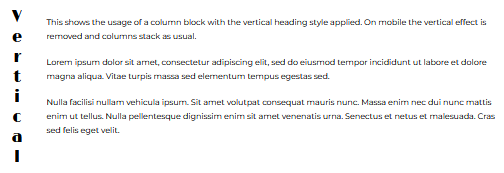
- Vertical heading in column blocks: to add some verticality to the desktop layout keeping everything under control in the mobile version to again ensure a more standard output on stacked layouts.
Back to top button
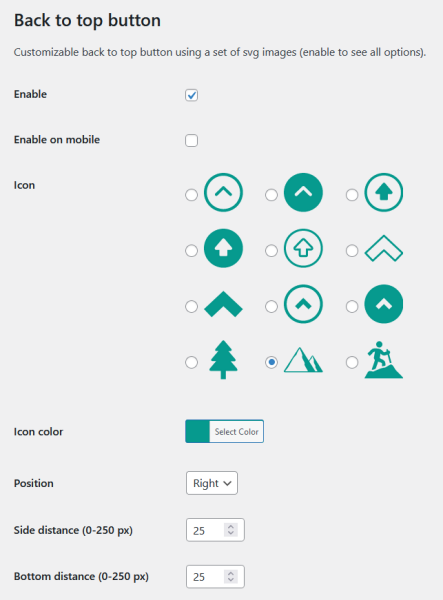
In the theme configuration page it is possible to enable a back to top button selecting from a nice list of standard and theme related SVG icons. Icon color, position and distance from bottom and border can also be customized for every need. Below the full configuration section with all available choices. Default values provide a good looking setup for the standard style.
Queries and donations
For any question or support request, do not hesitate to contact the author. Also, if you enjoy MRClimb theme and would like to thank the author, consider donating for more free WordPress content.